1. Enhancement on Facility Module
| In April, we improved the Facility Booking feature for better user experience. For easy access, we have moved the toggle to enable/disable facility from the facility setting page to the manage facilities page. If the toggle is disabled, the facility shall be hidden from the booking listing and vice versa. |
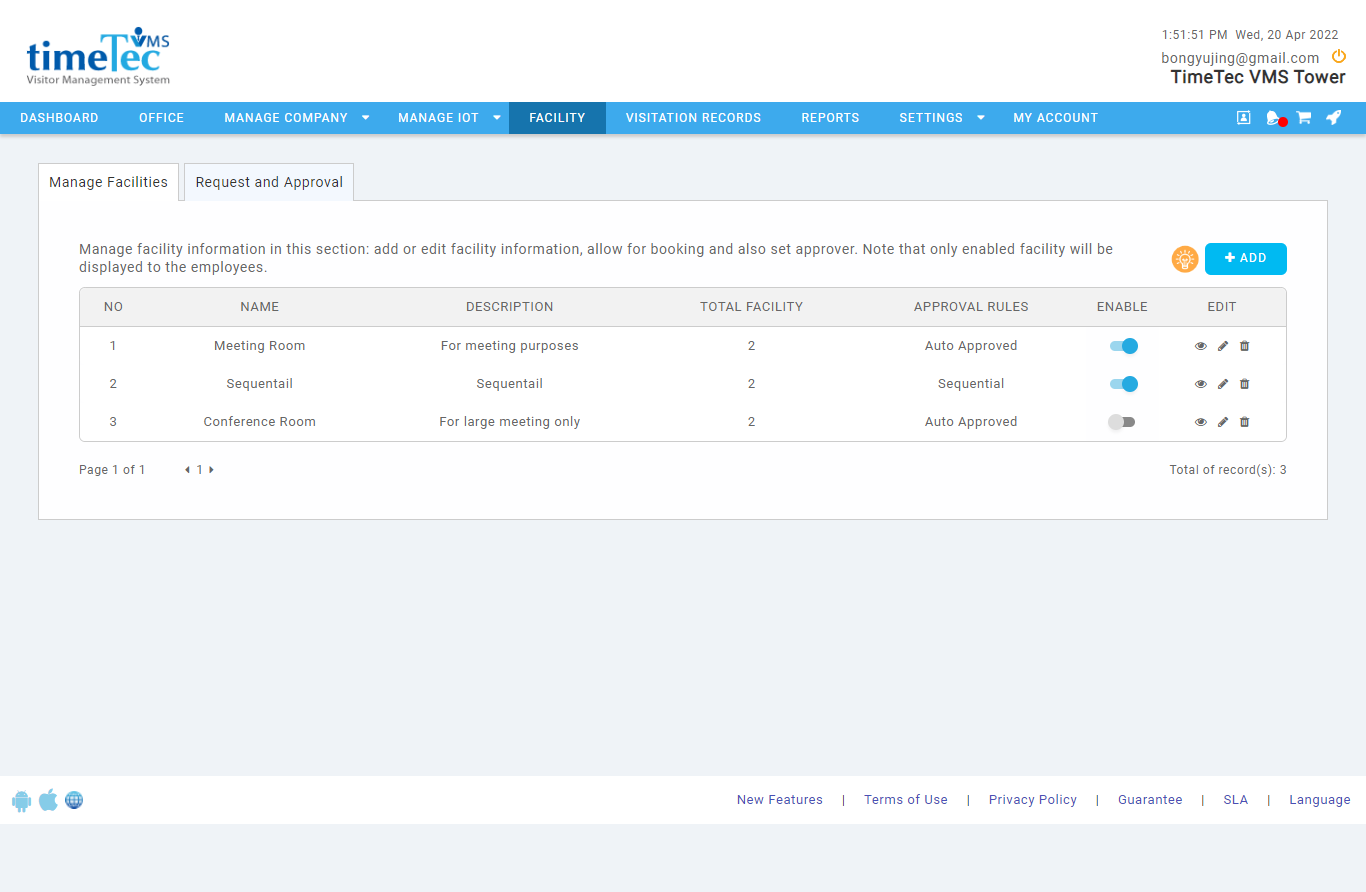 |
| Figure 1-1: Manage Facilities page with feature to enable/disable facility added |
| A restriction to edit certain facility details when there are active bookings was also added to make sure the modification will not affect the on-going bookings. |
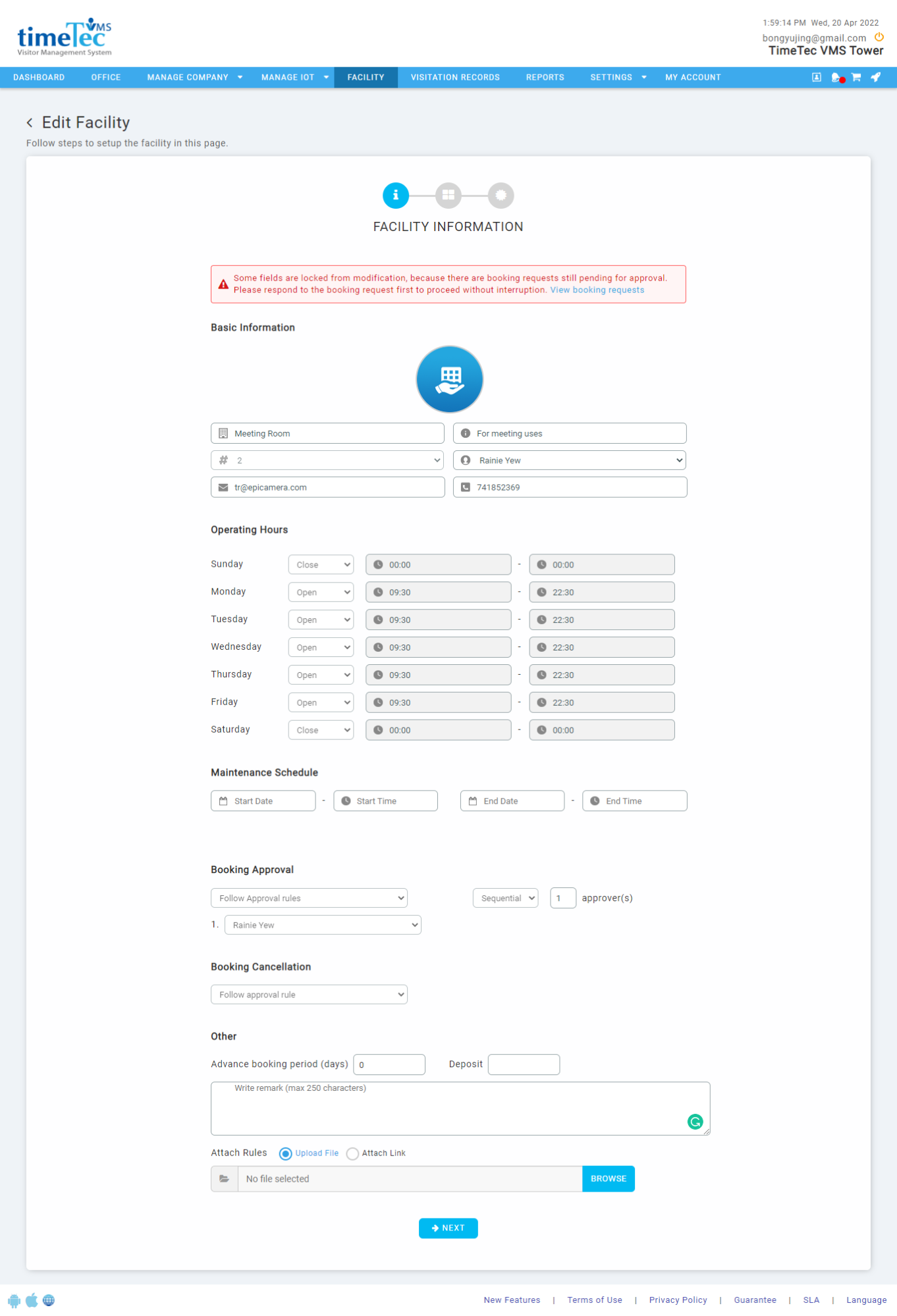 |
| Figure 1-2: Edit Facility Details page with certain field lock from modification. |
| Beside that, the slot availability page is also revamped and features a copy and apply option; the timeslot to all units is also included. |
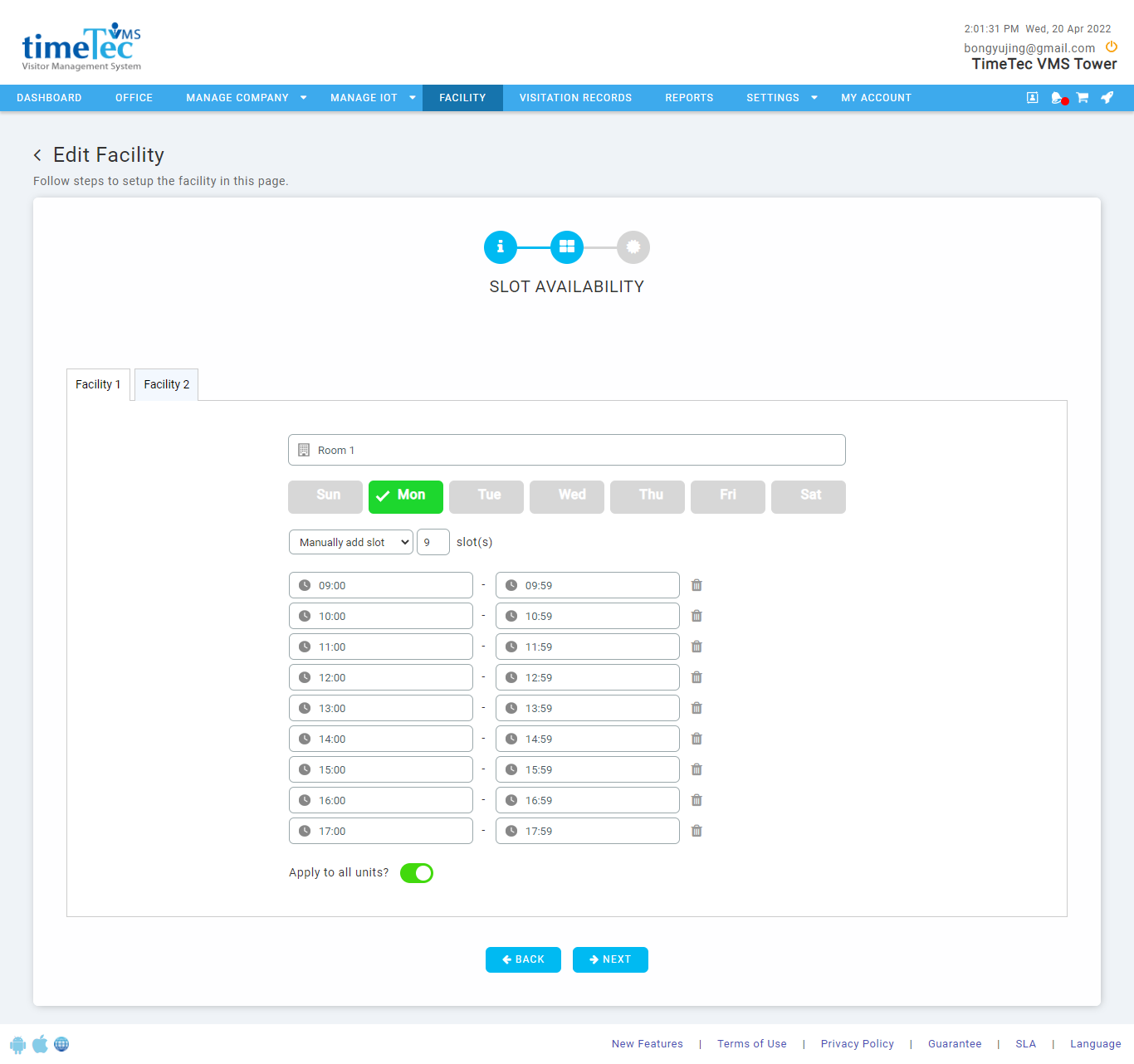 |
| Figure 1-3: Revamped Slot Availability page with feature to apply timeslots to all units. |
2. Walk-in Form Enhancement
| Admin/guard may now filter the host listing on the walk-in registration form based on the department of the host by using the filter provided. When a department is selected, the system will only display the list of users assigned to the particular department, allowing the admin/guard to search for the host effortlessly.
|
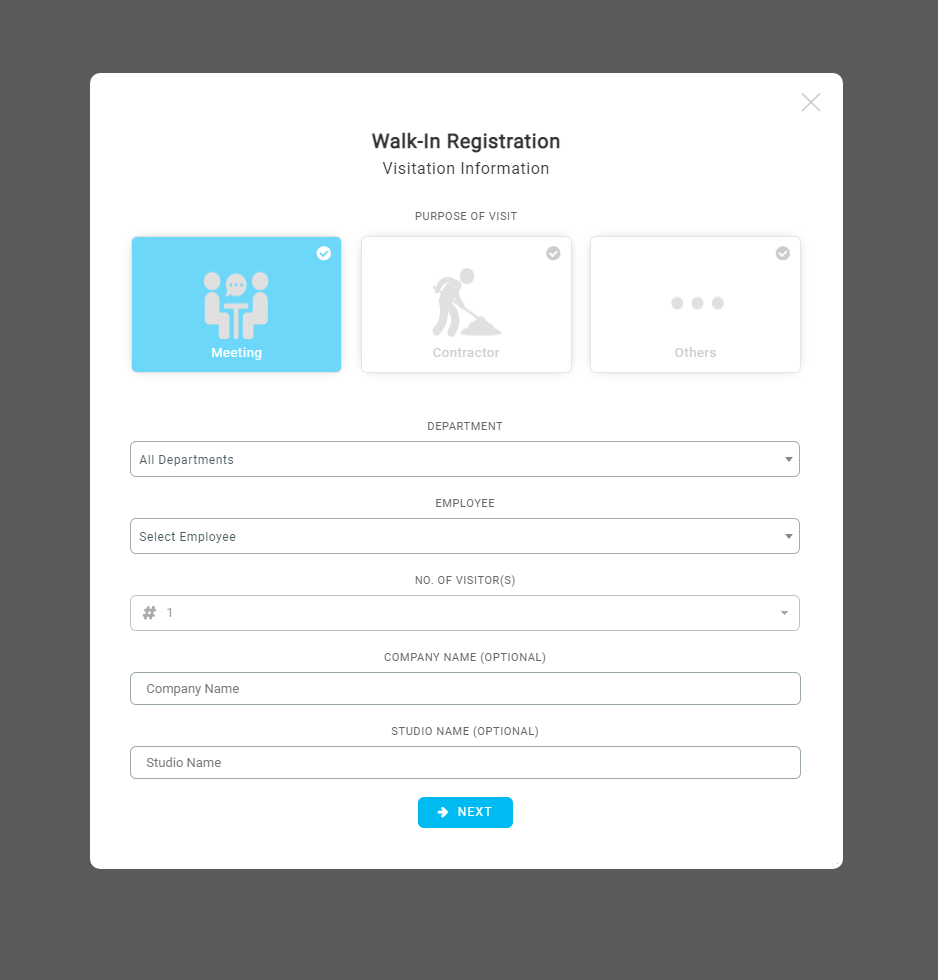 |
| Figure 2-1: Walk-in registration form with filter for department added. |
| Aside from that, the option to display additional information on the walk-in registration form is also included in April’s release. Admins may now edit the additional information on the pre-registration/queue relief settings page and tick on the option to display the information on the walk-in registration form.
|
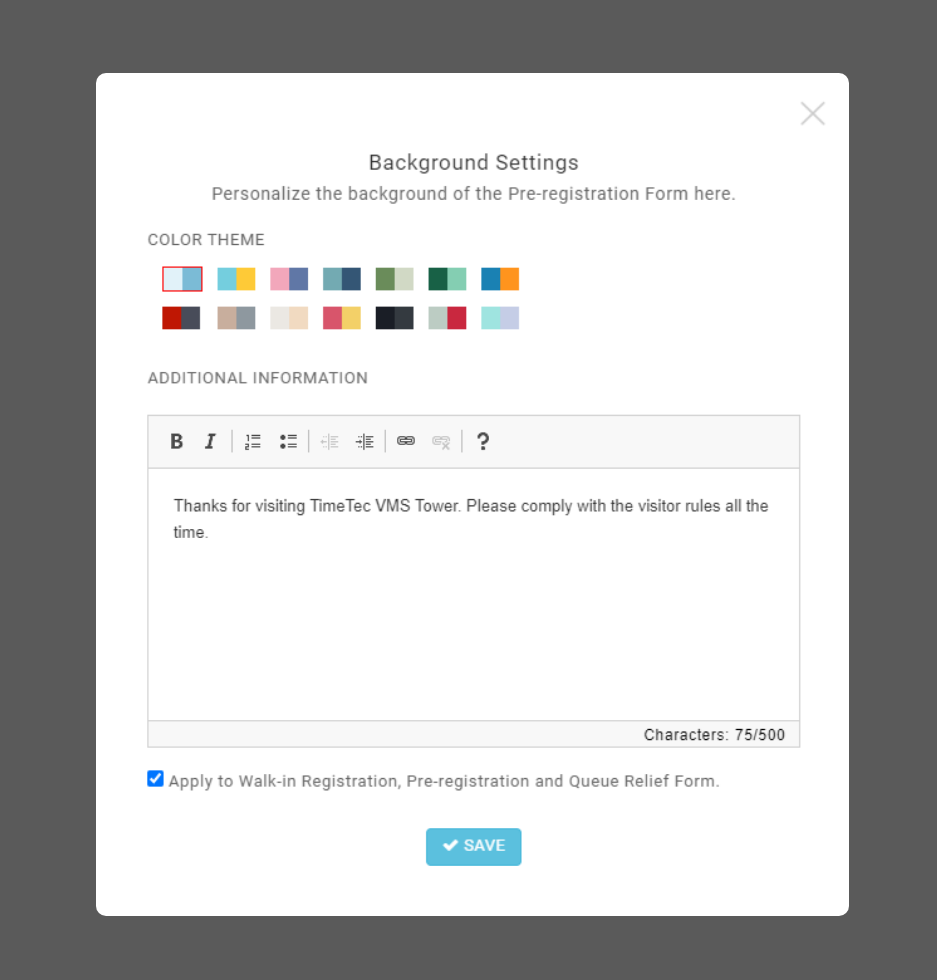 |
| Figure 2-2: Pre-registration background settings page with option to display additional information on walk-in registration form. |
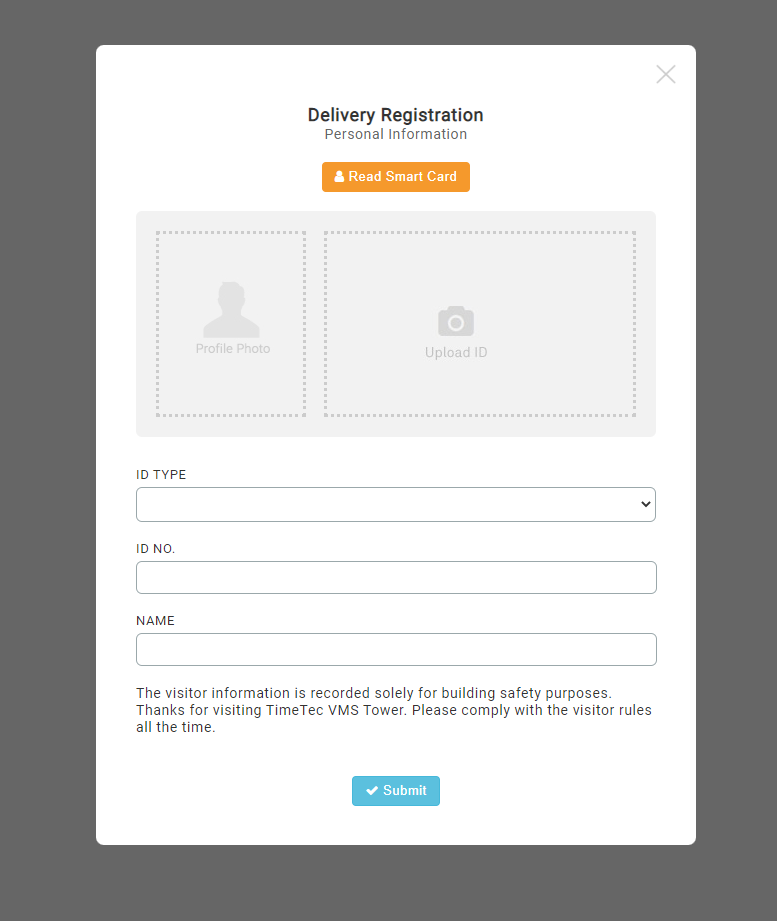 |
| Figure 2-3: Walk-in registration form with additional information displayed. |
3. Sync Access Record Feature
| The sync feature is now included on the visitation access record page allowing admin to sync the access log from all smart devices assigned to the account with a single click.
|
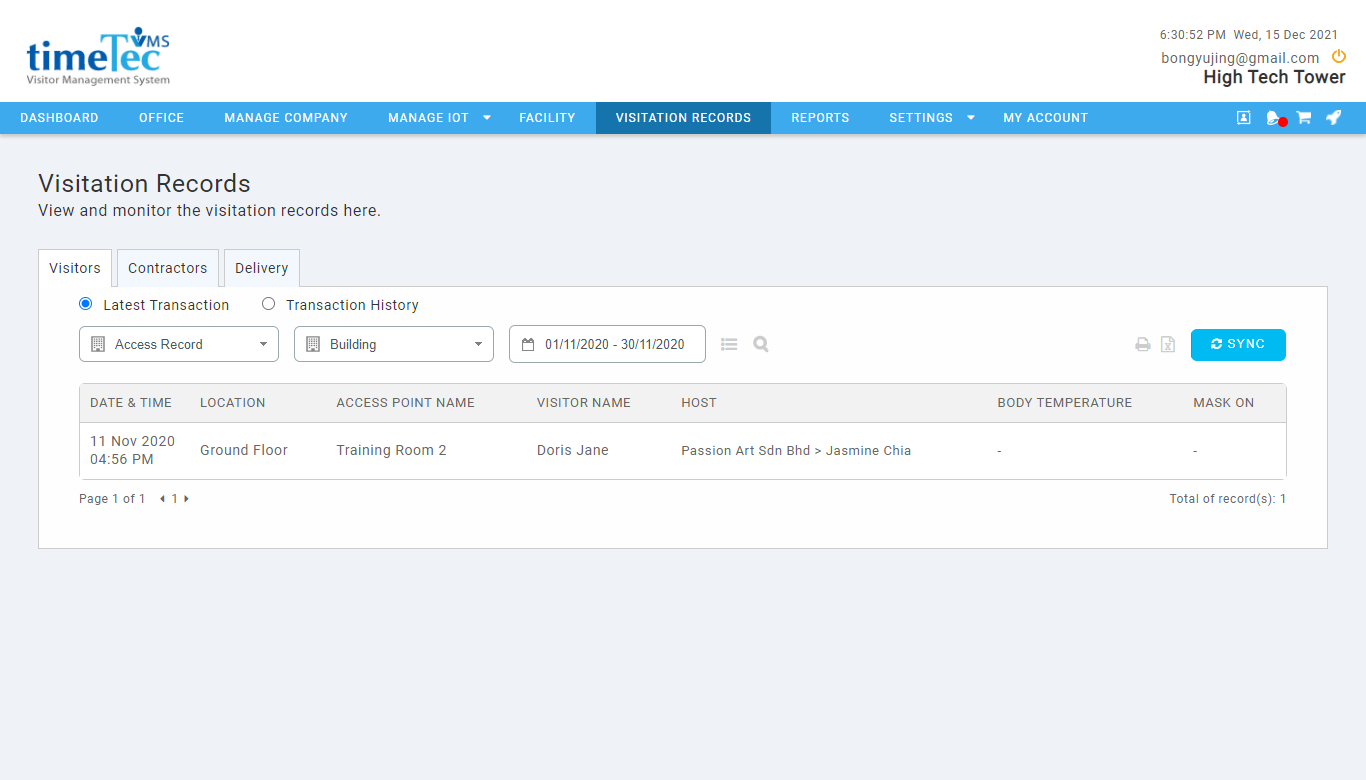 |
| Figure 3-1: Visitation Access Record page with sync button added |
4. Calendar Feature for Admin Account
| Calendar feature is now available in TimeTec VMS for admin accounts. Admins may now view the visitation based on the visitation date from the Calendar Module. |
|
| Figure 4-1: Calendar Module in Admin Mode |
|
| Figure 4-2: List of visitation based on the selected date. |